

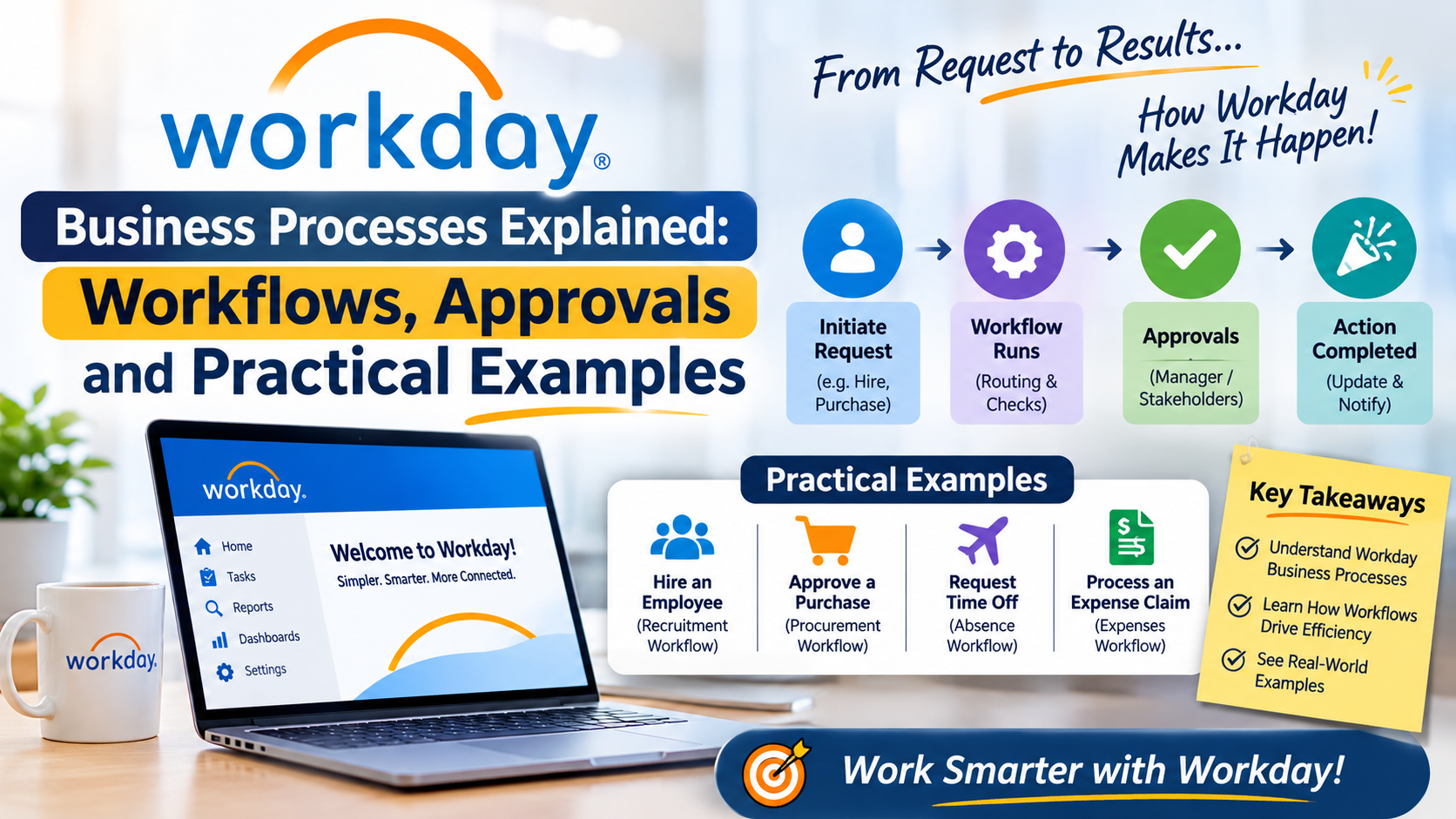
Workday business processes are the configurable workflows that help an organisation carry out common activities, route tasks to the right people, collect approvals and keep work moving. In Workday Human Capital Management (HCM), examples can include hiring, changing a worker’s job, requesting time off, onboarding and compensation changes.
For beginners learning Workday HCM, understanding business processes is essential because many day-to-day HR activities are completed through guided steps rather than isolated data-entry screens. This guide explains the main concepts, gives practical examples and outlines how to study business processes for a functional Workday role.
What Is a Workday Business Process?
A Workday business process (often shortened to BP) is a configured sequence of steps used to complete a business event. Depending on the process and the organisation’s configuration, steps may include initiating a request, reviewing information, approving or denying it, completing a task, sending notifications and updating a worker or organisational record.
The exact steps are not identical in every Workday tenant. Organisations configure processes to reflect their policies, roles, security model and operating requirements. Therefore, a learner should understand the underlying concepts rather than memorise one company’s workflow as if it applied everywhere.
Core Components of a Business Process
1. Initiation
The process begins when an authorised user starts a business event, such as requesting a job change or submitting a time-off request. Some events may also be initiated by a manager, HR partner or another role, depending on the organisation’s setup.
2. Steps and Routing
A process can contain multiple steps. A step may ask someone to review information, approve a request, enter additional details or complete a task. Routing determines which role or person receives the next action. Routing can be influenced by the organisation’s configuration, supervisory structure, business rules and security permissions.
3. Approvals and Reviews
An approval is a decision point where an authorised person accepts or rejects a request. A review step may ask someone to check information without making the same formal approval decision. Not every process requires the same approval chain; the appropriate design depends on policy and risk.
4. Conditions and Rules
Conditions can determine whether a step is required, skipped or routed differently. For example, an organisation might require an additional review for a particular worker population or transaction type. Learn to ask what business rule is being applied, what data it evaluates and what happens when the condition is true or false.
5. Notifications and To-Dos
Notifications inform users that an event or action needs attention. To-dos provide an actionable task. Clear notifications and sensible task ownership help users understand what they need to do next.
6. Completion and Audit Trail
When the required steps are completed, the process reaches its completed state and the related business event is recorded. Organisations can use process history and available reporting to review what happened and when. Access to details depends on security permissions.
Practical Workday Business Process Examples
Hire Employee
A hiring workflow may begin when an authorised user initiates a hire for a selected position. Depending on the organisation’s design, the process may collect personal and job information, route details for review or approval, create onboarding tasks and notify relevant teams.
The learning point is to understand the sequence, participants, required data and resulting worker record.
Change Job
A change-job event may be used when a worker moves to a new role, changes location or receives a change in job-related details. A learner should identify who can initiate the event, which fields are required, which approvals apply and how effective dates are handled.
Request Absence or Time Off
A time-off request commonly involves a worker selecting dates and an absence type, followed by validation and any required manager review. Rules can depend on eligibility, balances, calendars and company policy. Do not assume that every absence type follows the same route.
Compensation Change
A compensation change may require information about the proposed change, an effective date and approvals based on the organisation’s compensation policy. Because compensation data is sensitive, security and role-based access are particularly important.
Onboarding
Onboarding can coordinate tasks for the new worker and internal teams. Activities may include collecting information, completing forms, assigning learning or equipment tasks and notifying relevant stakeholders. The precise activities depend on the organisation and its enabled functionality.
How to Understand a Business Process as a Functional Learner
- Start with the business reason. Identify the real-world event the process is designed to support and the policy it must follow.
- Identify the initiator. Determine which user or role can start the event and what information is required.
- Map every step. Record the order of actions, the responsible role and whether each step is a review, approval, action or notification.
- Study routing and conditions. Ask why a task goes to a particular role and what rule changes the route.
- Check security. Understand which roles can initiate, view, approve or complete each part of the process.
- Test realistic scenarios. Consider normal, rejected, cancelled, corrected and exception cases where your training environment permits.
- Review the outcome. Confirm what record or status changes when the process is complete and how the event can be reviewed.
Business Process Configuration: What Should Beginners Know?
Workday configuration is performed within the permissions and tools available to an organisation’s authorised administrators and implementation teams. A beginner should become familiar with concepts such as process definitions, steps, routing, condition rules, security roles, notifications and process history. The names and available configuration options can vary by tenant, product area and release.
Do not make configuration changes in a production environment without appropriate authorisation, testing and change control. In a learning or sandbox environment, follow the exercises and access rules provided by your instructor or organisation.
Common Mistakes When Learning Workday Business Processes
- Memorising one workflow: Process design differs between organisations, so learn the logic behind the steps.
- Confusing approval with review: Understand what decision or action each step requires.
- Ignoring security: A process may route correctly but still fail for a user who lacks the required access.
- Overlooking effective dates: Worker and job changes may depend on when the change takes effect.
- Testing only the happy path: Rejected, returned or incomplete transactions can reveal important process behaviour.
- Assuming every tenant is the same: Use the tenant’s own configuration and documentation as the source of truth.
Suggested 7-Day Learning Plan
| Day | Learning focus | Practice task |
|---|---|---|
| 1 | Business process fundamentals | Explain initiation, steps, routing and completion in your own words. |
| 2 | Roles and approvals | Draw a simple approval path for a manager-requested change. |
| 3 | Conditions and routing | Write examples of when a conditional step might be required. |
| 4 | Hire and onboarding | Map the main participants and information needed in a hire scenario. |
| 5 | Change job and absence | Compare the initiator, approvals and effective-date considerations. |
| 6 | Security and troubleshooting | List possible causes of a missing task or unavailable action. |
| 7 | End-to-end review | Present one workflow, including an exception case and its outcome. |
Why Business Process Knowledge Matters for Workday Careers
Functional consultants, HRIS analysts, Workday administrators and business analysts often need to understand how HR policies translate into system workflows. Business process knowledge helps them gather requirements, explain current-state and future-state processes, support testing, investigate routing issues and communicate with HR and business stakeholders.
For a broader learning path, read the Workday HCM training and learning guide, explore Workday HCM modules explained for beginners, and review how to become a Workday HCM consultant. You can also practise with the Workday interview questions and answers guide.
Official Resources for Further Learning
For product-level context, start with Workday Human Capital Management. For administrator-oriented reference material, consult the Workday HCM Administrator Guide. Availability of documentation and training may depend on your organisation’s access and permissions.
Frequently Asked Questions
What Is a Business Process in Workday?
It is a configured workflow that guides a business event through the required actions, reviews, approvals and notifications until it is completed or otherwise resolved.
Are Workday Business Processes the Same in Every Company?
No. Organisations configure workflows to match their policies, roles, security requirements and operating practices. The same type of event can therefore follow different steps in different tenants.
What Is the Difference Between a Workday Approval and a Review?
An approval generally requires an authorised decision, such as approving or denying a request. A review is a check of information or circumstances and may not represent the same formal decision.
Do I Need Technical Skills to Learn Workday Business Processes?
You can begin with business and HR process knowledge, clear documentation and logical thinking. Deeper administration or implementation work may require tenant-specific training, configuration knowledge and appropriate access.
How Can I Practise Workday Business Processes?
Use an authorised training tenant or guided exercises where available. Map scenarios, identify roles and steps, test permitted variations and review the outcome. Do not attempt changes in a live production tenant without approval.
Conclusion
Workday business processes connect people, policies and system actions into structured workflows. By learning initiation, routing, approvals, conditions, security and process outcomes, beginners can build a practical foundation for Workday HCM support and consulting. Continue with the related KinoxTech learning guides and practise each concept with realistic scenarios in an authorised environment.
